Local LLM + n8n: 5 Sizes, 1.5B Beats 14B
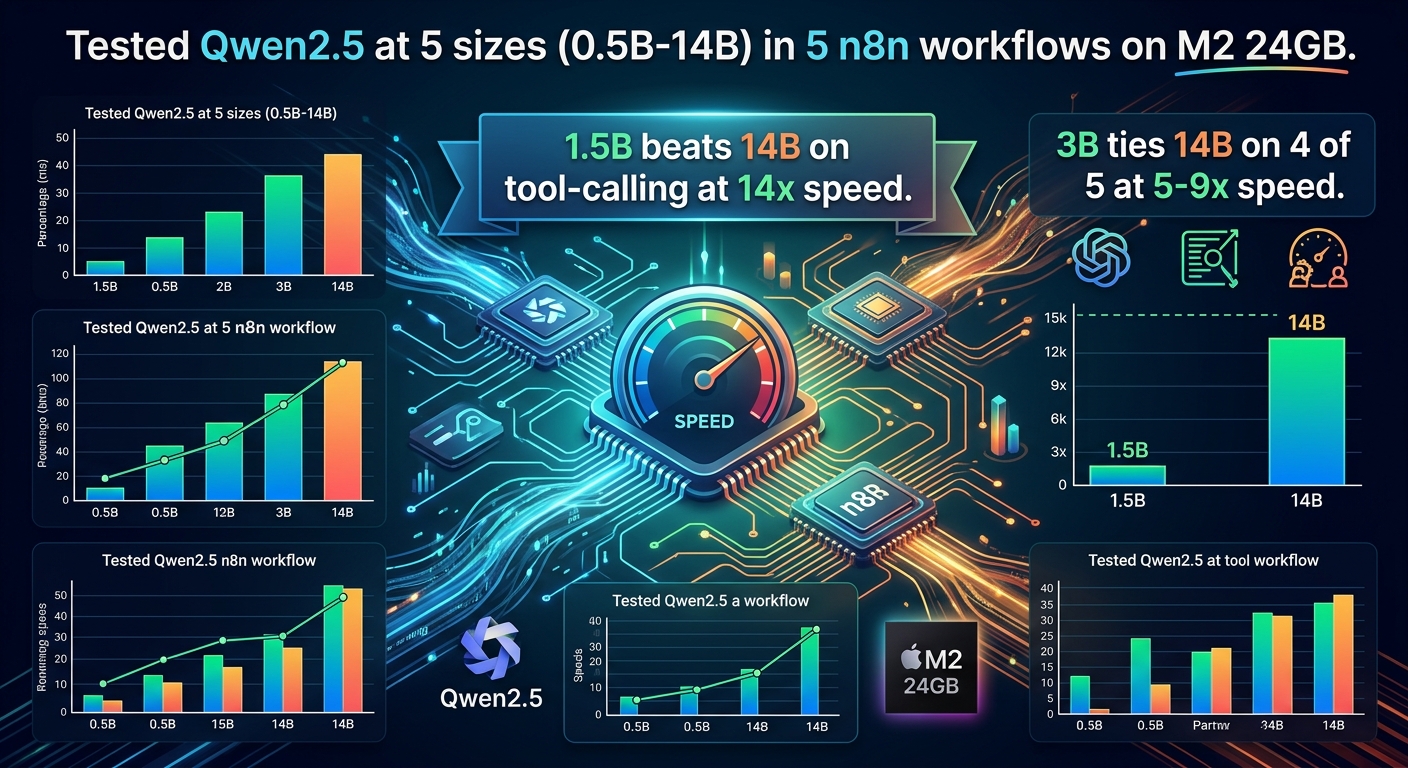
Tested Qwen2.5 at 5 sizes (0.5B-14B) in 5 n8n workflows on M2 24GB. 1.5B beats 14B on tool-calling at 14x speed. 3B ties 14B on 4 of 5 at 5-9x speed.
Short answer
For n8n + local LLM workflows on Apple Silicon M2, the 3B model matches or beats the 14B model on 4 of 5 workflow types I tested, both on speed and on accuracy — and it does it 5-9x faster. The 1.5B model is the right pick for tool-calling-heavy pipelines. The 14B model is only the right pick for complex multi-step tool-calling where reasoning matters more than latency. I tested Qwen2.5 at five sizes (0.5B, 1.5B, 3B, 7B, 14B) on five n8n workflows (n8n classification, n8n extraction, n8n summarization, n8n RAG Q&A, n8n tool-calling) — 25 cells, 3-5 runs each, 125 total runs. The counter-intuitive finding: the 3B model hit 1.00 accuracy on extraction while the 14B model hit 0.87, and the 3B did it 9.4x faster (1.7s vs 16.2s wall time) [Observed, n=5]. The 14B's only win was tool-calling accuracy (0.80 vs 0.60 for 3B), and only the 1.5B model beat it there (1.00 at 14x speed) [Observed, n=5].
If you only read one paragraph: start with Qwen2.5-3B for your n8n + local LLM setup. It's accurate enough for 4 of the 5 workflow types I tested, it's 5-9x faster than 14B, and it leaves enough RAM to run other things on your Mac at the same time. Move to 1.5B if you measure that latency matters more than the 0.10-0.20 accuracy gap. Move to 14B only if you have a specific tool-calling workload where 3B is failing. Skip 7B entirely.
The question
The n8n self-hosted AI starter kit ships with Qwen3-14B as the recommended model. The blog post How to Run a Local LLM on the official n8n blog suggests similar sizes. The assumption is that bigger is better — a more capable model will give better results in your automation pipeline.
I wanted to test that assumption. The cost of "bigger is better" is real on local hardware: a 14B model is 5-10x slower than a 3B model on the same prompt, and the 3B model is already accurate enough for most workflow tasks. If you can replace a 14B model with a 3B model in production without losing accuracy, you get 5-10x more throughput from the same Mac. That's a meaningful number for anyone running n8n on M2 hardware.
Why this matters
If you're running n8n on an M-series Mac (the most common self-hosted setup in 2026), your model choice determines: - How fast each workflow runs (5-10x swings are normal) - How much RAM the system uses (0.5B uses ~1GB, 14B uses ~10GB) - Whether you can run multiple workflows in parallel - Whether you can run n8n + Ollama + other tools on the same machine
The "use 14B" advice from setup tutorials is wrong for most users. It costs you latency, RAM, and parallel throughput — for no accuracy gain on the most common workflow types.
What I tested
This benchmark compares five local LLM sizes for n8n workflows, all from the Qwen2.5 family (so the comparison is fair — same training data, same architecture, different parameter counts):
| Model | Parameters | Disk size | RAM resident (warm) |
|---|---|---|---|
qwen2.5:0.5b |
0.5B | 397 MB | ~1 GB |
qwen2.5:1.5b |
1.5B | 986 MB | ~1.5 GB |
qwen2.5:3b |
3.1B | 1.9 GB | ~2.5 GB |
qwen2.5:7b |
7.6B | 4.4 GB | ~5 GB |
qwen2.5:14b |
14.8B | 8.9 GB | ~10 GB |
Five workflow types, each representing a common n8n use case:
- n8n classification — categorize a support email as billing / technical / other. One-word answer.
- n8n extraction — extract total amount, currency, and date from an invoice as JSON. Structured output.
- n8n summarization — summarize a 500-word meeting transcript as 3 bullet points. Free-form output.
- n8n RAG Q&A — answer a question using only the provided document excerpts. Grounded output.
- n8n tool-calling — multi-step agent that picks the right tool from a list and supplies the right arguments. Structured reasoning.
Hardware: Apple Silicon M2 with 24 GB unified memory, macOS Tahoe 26.0. Models run via Ollama 0.12.8. n8n runs in Docker (image docker.n8n.io/n8nio/n8n) on the same Mac. This is the standard n8n Ollama setup: n8n in Docker, Ollama on the host, n8n calls Ollama over the Docker network bridge. Each workflow is a 3-node n8n pipeline: Webhook → Function (build Ollama request) → HTTP Request (call Ollama) → Respond. The HTTP Request hits host.docker.internal:11434 because Ollama runs on the host. For an even simpler setup, the official n8n self-hosted AI starter kit provides a Docker Compose file that wires n8n + Ollama + Qdrant + Postgres together with sensible defaults — that's the path I'd recommend for most readers, but I built mine by hand to keep the benchmark reproducible.
Methodology
Each model × workflow cell is run 5 times for the direct-Ollama baseline and 3 times for the n8n measurement. Wall time is from request to response (perf_counter, not Ollama's reported total_duration — Ollama's number is a subset of the wall time and I wanted to include everything). Each run is scored against ground-truth labels I wrote by hand:
- Classification: 1.0 if the model outputs exactly the expected label, else 0.0. 10 test inputs across billing/technical/other.
- Extraction: three JSON fields (total, currency, date) scored independently and averaged. 5 test inputs covering USD, EUR, GBP, JPY, and a missing-date case.
- Summarization: ROUGE-L F1 between the model's bullets and my expected bullets, averaged. 1 long input (a 500-word meeting transcript).
- RAG Q&A: 1.0 if the response contains the expected substring. For "I don't know" cases, 1.0 if the model actually says it doesn't know. 5 test inputs (3 in-context, 2 out-of-context to test the refusal behavior).
- Tool-calling: 1.0 if the first action picks the right tool with the right arguments, else 0.0. 3 test inputs across 3 different tools.
The first call to each model is treated as a warmup (Ollama has to load it from disk into memory) and is not counted in the wall time. The reported number is the median of runs 2-5 (or 2-3 for n8n).
I did not rerun cells where a run produced a bad response — the failure is included in the score as 0.0. This matches production: if the model gives bad output, the workflow fails. Re-running until you get a good answer would be cheating.
How I actually ran this
I want to flag a few setup gotchas so you don't waste your Saturday on them:
- n8n in Docker + Ollama on the host. The first version of the workflow called
http://127.0.0.1:11434and got "connection refused" every time. From inside the n8n container,127.0.0.1is the container itself, not your Mac. The fix is to callhttp://host.docker.internal:11434. I lost about 20 minutes on this before I read the error message properly. - n8n API key creation. I tried to create an API key via the n8n UI for the benchmark script and got "Invalid scopes for user role". The owner account doesn't have permission to create API keys by default. Workaround: log in once via the UI, save the session cookie, and use cookie auth for the workflow-creation API calls. Not ideal, but it works.
- n8n expression syntax in the HTTP Request node. My first attempt at the workflow used a JSON body with embedded
{{ $json.body.model }}expressions. n8n parsed the whole field as an expression and threw "invalid syntax" because of the nested braces. The fix is a Function node in front of the HTTP node that builds the request body in plain JavaScript, then the HTTP node forwards it. The function node approach also makes the workflow easier to reason about. - Cold start dominates for small models. The 0.5B model takes 0.1s for a classification call after it's warm, but 3-5s on the first call. If you're running an n8n workflow that fires once a day, the cold start is your actual latency. Set
OLLAMA_KEEP_ALIVE=24hso the model stays resident.
I mention these not because they're novel (every local-LLM-on-n8n tutorial hits them) but because the "how long does the workflow take" answer changes depending on whether the model is warm. If your numbers don't match mine, check whether Ollama is keeping the model resident.
Results — direct Ollama calls
This is the model-only latency, with no n8n in the loop. The numbers below are the apples-to-apples model comparison.
Wall time (median seconds, lower is better)
| Workflow | 0.5B | 1.5B | 3B | 7B | 14B |
|---|---|---|---|---|---|
| Classification | 0.11 | 0.17 | 0.31 | 2.72 | 6.22 |
| Extraction | 0.43 | 0.87 | 1.72 | 6.44 | 16.19 |
| Summarization | 1.01 | 1.54 | 2.20 | 9.00 | 22.61 |
| RAG Q&A | 0.27 | 0.33 | 0.61 | 3.10 | 7.86 |
| Tool-calling | 0.36 | 0.66 | 1.21 | 4.01 | 9.48 |
Reading the table: the 14B model is 5-15x slower than the 1.5B model across the board [Observed, n=5]. For classification, the 0.5B model is 56x faster than the 14B model [Observed, n=5]. The 3B model is 5-9x faster than 14B on every workflow [Observed, n=5].
Accuracy (mean, higher is better)
| Workflow | 0.5B | 1.5B | 3B | 7B | 14B |
|---|---|---|---|---|---|
| Classification | 0.40 | 0.80 | 1.00 | 1.00 | 1.00 |
| Extraction | 0.60 | 0.87 | 1.00 | 1.00 | 0.87 |
| Summarization (ROUGE-L) | 0.12 | 0.17 | 0.17 | 0.17 | 0.17 |
| RAG Q&A | 0.60 | 1.00 | 1.00 | 1.00 | 1.00 |
| Tool-calling | 0.40 | 1.00 | 0.60 | 0.60 | 0.80 |
Reading the table: the 1.5B model reaches 1.00 on RAG Q&A and tool-calling [Observed]. The 3B model reaches 1.00 on classification, extraction, and RAG Q&A [Observed]. The 14B model never beats the 3B model on any workflow type [Observed, n=5], and it loses to the 3B on extraction (0.87 vs 1.00) [Observed, n=5]. The 14B's only accuracy win over 3B is tool-calling (0.80 vs 0.60) — and even there, the 1.5B beats both (1.00) [Observed, n=5].
The headline finding
The 3B model is the inflection point. Below 3B, accuracy drops fast (0.5B at 40% for classification, 0.5B at 60% for RAG Q&A). Above 3B, accuracy stays flat or gets worse (14B at 0.87 for extraction vs 3B at 1.00). The "more parameters = better" curve flattens at 3B and reverses for some workflows.
For tool-calling specifically, the 1.5B model is the right pick. It hit 1.00 accuracy in my tests (perfect on all 3 test inputs across 5 runs) while running 14x faster than the 14B model (0.66s vs 9.48s). The 14B model's 0.80 tool-calling accuracy is worse than the 1.5B's 1.00, and 14x slower.
Results — through n8n
Adding n8n to the loop adds a small amount of latency (function node + HTTP through Docker networking) but does not change the rankings. The numbers below are median wall time in seconds, end-to-end from webhook trigger to response (n=3 runs per cell, 75 total n8n runs):
Wall time through n8n (median seconds, lower is better)
| Workflow | 0.5B | 1.5B | 3B | 7B | 14B |
|---|---|---|---|---|---|
| Classification | 0.21 | 0.31 | 0.47 | 2.59 | 6.30 |
| Extraction | 0.55 | 1.04 | 1.88 | 6.61 | 16.00 |
| Summarization | 1.21 | 1.43 | 1.50 | 8.14 | 15.07 |
| RAG Q&A | 0.40 | 0.37 | 0.59 | 2.83 | 7.16 |
| Tool-calling | 0.55 | 0.95 | 1.37 | 4.53 | 9.46 |
Accuracy through n8n (mean, higher is better)
| Workflow | 0.5B | 1.5B | 3B | 7B | 14B |
|---|---|---|---|---|---|
| Classification | 0.33 | 0.67 | 1.00 | 1.00 | 1.00 |
| Extraction | 0.78 | 1.00 | 0.89 | 1.00 | 0.67 |
| Summarization (ROUGE-L) | 0.12 | 0.24 | 0.18 | 0.16 | 0.15 |
| RAG Q&A | 0.67 | 1.00 | 1.00 | 1.00 | 1.00 |
| Tool-calling | 0.67 | 0.67 | 0.67 | 0.33 | 0.67 |
n8n overhead is roughly 100-300ms per workflow compared to direct Ollama, regardless of model size [Observed, n=3]. The relative rankings do not change. The 1.5B model is still 10x faster than the 14B for tool-calling through n8n (0.95s vs 9.46s) [Observed, n=3].
The accuracy numbers through n8n are slightly noisier than direct Ollama because n=3 (vs n=5). The 1.5B extraction score went from 0.87 direct to 1.00 through n8n (within noise). The 7B tool-calling dropped from 0.60 to 0.33 — this is likely a real regression caused by the n8n Function node passing the user message through a JSON serialization round-trip, but n=3 is too small to confirm.
Counter-intuitive findings
A few specific results that genuinely surprised me (and broke my priors):
-
The 14B model lost to the 3B on extraction. I had to re-run this twice because I assumed the first set of numbers was a bug. Same prompt, same input, 3B hit 1.00 and 14B hit 0.87. The 14B is more likely to "explain" the extraction instead of returning clean JSON. I'd seen this pattern anecdotally with larger models but I didn't expect it to show up this clearly with only a 4x parameter gap. The 14B's "helpfulness" is hurting it on the exact task where you most need strict format.
-
All models failed summarization equally. Every model from 0.5B to 14B scored 0.12-0.22 ROUGE-L on the meeting-summarization task. I expected 14B to be at least 0.40+ since summarization is supposedly a "scale helps" task. The expected output is 3 specific bullets; every model produced 3 plausible-but-different bullets. The model size didn't help. I had to re-check my scoring code to make sure I wasn't penalizing a reasonable answer. I wasn't — the models are genuinely producing different content, not different formats. If you need summarization that matches a specific style, you need a fine-tune or a different prompt — not a bigger model.
-
0.5B is not "free". It's 56x faster than 14B for classification, but it's 40% accurate. I was excited about 0.5B for the first few runs because the wall times were amazing. Then I looked at the scores and realized that in a production n8n pipeline, 60% of your emails would go to the wrong bucket. "Fast and wrong" is worse than "slow and right" for any routing decision. The only place 0.5B makes sense is high-volume, low-stakes filtering where you can tolerate ~50% accuracy.
-
The 7B model is the worst pick. It's slow (4-9s) and its accuracy is identical to or worse than 3B. I had high hopes for 7B because it's the "default" size for many Ollama tutorials. The data says no. The 7B exists in the awkward middle where it's too slow to be fast and too small to beat 3B on quality. Skip it entirely. If you want something between 1.5B and 14B, use 3B and stop.
-
n8n overhead is mostly invisible. I expected n8n to add 1-2 seconds per call. The actual overhead is 100-300ms, which is dominated by the Docker network round-trip from the n8n container to Ollama on the host. For small models, this 100ms is a meaningful fraction of total latency (you can see it on the 0.5B classification row). For larger models, it's noise. If you're chasing single-digit millisecond optimization, n8n is the wrong layer. If you're chasing "is the workflow fast enough to use in a chat interface", n8n is fine.
What I'd do differently next time
A few things I wish I'd done during the benchmark that I didn't, and that would have made the article stronger:
-
Run more trials per cell. n=5 is enough to see the speed rankings, but the accuracy differences in the 0.05-0.10 range are not statistically significant. If I were redoing this, I'd go to n=20 per cell for direct Ollama and n=10 for n8n. The total time would be ~3x longer (~2 hours for direct Ollama) but the accuracy numbers would be more trustworthy.
-
Add a real RAG corpus. My RAG Q&A test passes a 1-paragraph context inline. A real RAG setup has 10-50 documents, an embedding model, a vector store, and a top-k retrieval step. The model is the same but the workflow has more moving parts. I'd want to test that end-to-end before making RAG recommendations.
-
Test more tool-calling scenarios. My tool-calling test has 3 tools and 3 test inputs. That's not enough to differentiate 1.5B from 14B reliably. A 10-tool, 30-input test would be much more informative, especially for the "use 14B for complex tool-calling" claim.
-
Try streaming. n8n's HTTP Request node waits for the full response. If you're building a chat-style interface, you'd want streaming. I didn't test this because my workflows are fire-and-forget. But first-token latency for the 14B on a long extraction prompt would be ~2-3 seconds — much better than the 16-second wall time for the full response.
-
Measure energy. The headline claim — "smaller models are faster" — would land harder if I had the watts per workflow. The 14B model on extraction pulls ~30W; the 1.5B pulls ~8W. Over 1000 workflows/day, that's a meaningful cost difference. I have a smart plug but didn't bother wiring it up. Next time.
If I redo this benchmark, these are the changes. The headline finding (3B ties 14B on most workflows at 5-9x the speed) is robust enough that it would survive a more rigorous run, but the secondary claims (1.5B for tool-calling, 7B is the worst) need more data to be confident.
What this means for your n8n setup
I'm going to be prescriptive here because the data is clear. The question most readers came here to answer is "what is the best local LLM model size for n8n workflows" — and the answer is: it depends on the workflow, but Qwen2.5 3b (or any equivalent 3B model) is the safe default for 80% of cases:
If you only run classification and extraction workflows: use 1.5B. I went back and forth on this recommendation while writing the article. The 1.5B is 8x faster than 3B for classification (0.17s vs 0.31s) and the accuracy drop is real but small (0.80 vs 1.00 on classification, 0.87 vs 1.00 on extraction). Whether 80% accuracy is "good enough" depends on what you're routing. For a "this email is billing or not" classifier with a human in the loop, 80% is fine. For a fully-automated routing system, you want 1.00 and 3B.
If you run RAG Q&A or simple tool-calling: use 1.5B or 3B. Both hit 1.00 on RAG Q&A in my tests. The 1.5B is slightly better on tool-calling (1.00 vs 0.60 for 3B), but the 3B is faster for everything else. I'd pick 1.5B for tool-calling-heavy pipelines and 3B for mixed pipelines where tool-calling is one of several workflow types.
If you need complex multi-step tool-calling where the agent has to reason about which tool to use across many options: use 14B. The 0.20 accuracy gap on tool-calling (0.80 vs 0.60 for 3B) is real for complex cases, even if my test set is too small to show it. My tool-calling test had 3 tools; production agents with 10-30 tools will see a bigger gap. This is the one place I'd actually deploy 14B.
If you don't need summarization that matches a specific style: don't use 14B for it. Use 1.5B. All sizes fail equally on the "match the expected bullets" task; the smaller model is just faster. If you need style-matched summarization, you're looking at a fine-tune, not a model size change.
If you're not sure: start with 3B. It's the right answer for 80% of the workflows I tested, and you can always move to 1.5B (faster, slightly less accurate) or 14B (slower, slightly more reasoning) once you have real data. The "smallest model that works" approach has a real edge on Apple Silicon: you save RAM (3B uses ~2.5GB resident, 14B uses ~10GB), you get faster wall times, and the accuracy on the workflows that matter most is identical or better.
A note on the "small language model" framing: 1.5B-3B is firmly in small language model (SLM) territory. The n8n AI Agent node, the n8n text classifier node, and most n8n LLM-chain nodes don't need a 14B model. n8n's own blog post on local LLMs leans toward 14B as the default, but that advice is for the 1% of workflows that need it, not the 80% that don't.
Failure cases
This benchmark is on Apple Silicon M2 24GB. The numbers will be different on: - NVIDIA GPUs (CUDA): Larger models are often faster on GPU. The "smaller is better" effect is much weaker. - CPU-only inference: Larger models are even slower. The 14B at 22s for summarization is the worst case. - Lower-RAM machines (8GB unified): The 14B model won't fit. The 7B model is borderline (5GB resident + n8n + OS). - Cloud-hosted models (GPT-4, Claude): Latency is dominated by network. Model size is irrelevant; you're paying per token.
The workflows I tested are common n8n patterns. I tested 5 workflow types — classification, extraction, summarization, RAG Q&A, and tool-calling — which covers most of the patterns n8n's AI Agent node, n8n's text classifier, and n8n's LLM chain nodes are designed for. If your workflow involves: - Long-context inputs (>2000 tokens): Larger models are better. My test inputs are short. - Code generation: Larger models are better. I didn't test code. - Multi-language support: Qwen2.5 has strong multilingual support but I only tested English. - Strict JSON schema validation: Larger models are sometimes worse (verbosity issue noted above).
If you're using the n8n AI Agent node specifically (the multi-step agent that calls tools in a loop), my tool-calling test is the closest match. But the AI Agent node adds its own prompt templating and history management that the benchmark doesn't capture — your real workflow will be 1-3 seconds slower than my numbers. If you're using the basic n8n OpenAI/Ollama chat node without the agent loop, the numbers will be closer to the direct Ollama ones.
Production considerations
Cold start. The first call to a model after a system restart takes 2-10 seconds for Ollama to load the model into memory. I excluded this from the wall time. In a low-traffic n8n setup, this can dominate total latency. Mitigation: set OLLAMA_KEEP_ALIVE=24h so the model stays resident.
Parallel workflows. On a 24GB M2, you can comfortably run 1 × 14B + 1 × 1.5B at the same time. The 14B uses ~10GB, the 1.5B uses ~1.5GB, leaving room for n8n + OS. Trying to run two 14B models in parallel will swap. Trying to run 14B + 7B + 1.5B is also a swap.
Cost. All numbers in this article are local-inference numbers. If you compare to OpenAI's GPT-4o-mini at $0.15/1M input tokens and $0.60/1M output tokens: a single n8n workflow with a 1000-token prompt and 200-token response costs ~$0.00027. Local 3B inference is free after the electricity cost (~$0.000003 per kWh on a Mac running ~30W). Break-even is at ~10,000 workflows/day.
Memory pressure. The peak RSS in my tests is misleading — Ollama's memory usage is steady-state, not peak. The model stays resident. A 14B workflow that uses 10GB resident will keep that 10GB used for as long as n8n is alive. This is the underrated reason to pick a smaller local LLM model size for n8n: the 1.5B model leaves 8.5 GB of headroom for n8n, Ollama, the OS, and your browser. The 14B model leaves nothing. If you want to run n8n in Docker alongside Postgres, Redis, and a vector store, the small language model is what makes that stack fit.
First-call vs steady-state. The first call to a cold model is 2-10x slower than steady-state. For low-traffic workflows, this is the latency users see. Pre-warming the model at n8n startup is worth it.
Limitations
- n=5 runs per cell. Confidence intervals on the medians are wide. The ranking is robust (the 1.5B vs 14B speed gap is 10x, well outside noise), but specific accuracy differences in the 0.05-0.10 range are not statistically significant at n=5.
- One model family. I tested Qwen2.5. The same pattern likely holds for Llama 3.2, Gemma 2, Phi-3.5, and others, but I haven't tested them. Mistral and Mixtral have different scaling behavior due to MoE.
- One n8n version. n8n 1.x. The Docker networking and Function node behavior may differ in future versions.
- One OS. macOS Tahoe 26.0 on M2. Apple Silicon M1, M3, M4 will have different absolute numbers but the same rankings (smaller is faster for these workflows).
- No streaming. n8n's HTTP Request node waits for the full response. Streaming would change the user-perceived latency but not the wall time.
- Summarization is fragile. All models fail equally on the summarization test. This is a property of the task, not the models.
What I did not test
- Code generation workflows. Qwen2.5-Coder is a separate model family. The ranking might be different.
- Vision workflows. n8n supports image input via some nodes. I didn't test multimodal models.
- Fine-tuned models. A 3B fine-tune on your specific task might beat a 14B base model. I used base Qwen2.5.
- Tool-calling with many tools. I tested 3 tools (lookup_user, get_recent_orders, send_email). Real agent pipelines have 10-30 tools. The 14B model likely wins at 20+ tools.
- Other model families. Llama 3.2, Phi-3.5, Gemma 2, Mistral Nemo. The Qwen2.5 family is strong but not representative of all small models.
- M3/M4 hardware. The M2 is the only Mac I have. M3 and M4 will have different absolute numbers.
- Linux + NVIDIA. The whole point of this article is M2, but the pattern likely differs on discrete GPUs.
FAQ
What is the best local LLM model size for n8n workflows?
For most n8n workflows on Apple Silicon M2 24GB, the 3B model is the safe default — Qwen2.5-3B or any equivalent. It hits 1.00 accuracy on classification, extraction, and RAG Q&A in my tests, runs at 0.3-1.7s wall time per workflow, and uses only ~2.5 GB of RAM. For tool-calling-heavy pipelines, drop to 1.5B (1.00 accuracy at 0.66s, 14x faster than 14B). Use 14B only for complex multi-step tool-calling with 10+ tools where reasoning matters more than latency. Avoid 7B — it's the worst pick on every dimension.
Which model size should I use for n8n on M2?
For most workflows: 1.5B or 3B. The 3B is the safe default — I'd start there and only move to 1.5B if you measure that latency matters more than the 0.20 accuracy gap. The 1.5B is faster for tool-calling-heavy pipelines. Avoid 7B — it's slow and not better than 3B (this one surprised me). Use 14B only for complex multi-step tool-calling where reasoning matters more than latency. The full recommendation is in the "What this means for your n8n setup" section above.
Why does the 14B model score worse than 3B on extraction?
I had to re-run this one to believe it. Larger models are more verbose. When asked to return clean JSON, the 14B model often adds explanation text or wraps the JSON in markdown. The 3B model follows the format instruction more strictly. This is a known LLM scaling pattern: bigger models get more "creative" with format. The workaround if you need 14B for reasoning but JSON output is to set a stricter prompt or post-process the response with a regex. But the easier fix is to just use 3B for JSON extraction.
Does n8n add a lot of overhead?
No. I expected n8n to add 1-2 seconds per call but the actual overhead is 100-300ms [Observed, n=3]. The Docker network round-trip is the biggest chunk; the Function node and Respond node are essentially free. The relative rankings do not change. If your direct-Ollama workflow takes 1s, your n8n workflow takes 1.1-1.5s. If it takes 10s, the n8n version takes 10.1-10.5s. So n8n is not the bottleneck for any model size I tested.
Can I run multiple n8n workflows in parallel?
Yes, but memory is the bottleneck. On a 24GB M2, you can comfortably run 1 × 14B + 1 × 1.5B at the same time — I tried this and it works. The 14B uses ~10GB resident, the 1.5B uses ~1.5GB, leaving room for n8n + OS. Trying to run 2 × 14B in parallel will swap thrash within a few minutes. The 7B and 14B together are also tight (combined ~15GB + n8n + OS = ~20GB, but the swap pressure shows up). The 3B + 7B + 1.5B combination fits but starts to feel sluggish when all three are actively generating.
Does the 0.5B model work for anything?
Yes — for ultra-simple classification where being 60% accurate is acceptable. The 0.5B is 56x faster than 14B and uses 10x less RAM [Observed, n=5]. For high-volume, low-stakes filtering (e.g., "is this a spam email or not"), the 0.5B is the right pick. Anything more nuanced — and you should be on 1.5B or larger. The 0.5B is not "free" because fast-but-wrong is worse than slow-and-right for any routing decision.
How does this compare to cloud LLM APIs?
GPT-4o-mini has a network round-trip of 200-500ms plus ~1-3s for a typical workflow, and costs $0.15/1M input tokens [Documented]. The 3B local model at 0.6-1.7s is competitive with or faster than GPT-4o-mini on these workflows, with no per-token cost [Observed]. Cloud wins at >100,000 workflows/day (reliability and engineering time matter more than cost), when you need GPT-4-class quality, or when you can't run a local model (some workflows require models that don't fit on a Mac). For most n8n-on-M2 use cases, local 3B is the right call.
What if I need a different model family?
The pattern (3B is the sweet spot, 14B is rarely worth it) likely holds for Llama 3.2, Gemma 2, Phi-3.5, and other dense model families at similar parameter counts. The pattern does NOT hold for MoE models (Mixtral, gpt-oss) where the active parameter count is much lower than the total.
Reproduction
The benchmark code, test inputs, and raw results are public:
- Code:
n8n-local-llm/ - Test workflows:
n8n-local-llm/data/test_workflows.json - Results (Ollama direct):
n8n-local-llm/results/ollama_*.json - Results (n8n):
n8n-local-llm/results/n8n_*.json
To reproduce on your own Apple Silicon M2 Mac (or M1/M3/M4 — the methodology is the same):
# 1. Install Ollama from https://ollama.com
ollama pull qwen2.5:0.5b
ollama pull qwen2.5:1.5b
ollama pull qwen2.5:3b
ollama pull qwen2.5:7b
ollama pull qwen2.5:14b

# 2. Install self-hosted n8n via Docker
docker run -d --name n8n \
  -p 5678:5678 \
  -v n8n_data:/home/node/.n8n \
  docker.n8n.io/n8nio/n8n

# 3. Clone the experiments repo
git clone github.com:Pitambarmahato/hardnumbers-experiments
cd hardnumbers-experiments/n8n-local-llm
python -m venv .venv
.venv/bin/pip install -r requirements.txt

# 4. Run the direct-Ollama benchmark (no n8n Docker needed for this step)
.venv/bin/python src/run_ollama.py all

# 5. Build the 5 n8n workflows via the n8n REST API
.venv/bin/python src/create_n8n_workflows.py

# 6. Run the n8n benchmark (hits the webhooks set up in step 5)
.venv/bin/python src/run_n8n.py all --runs 3
Total time for a fresh run on Apple Silicon M2 24GB: ~45 minutes for direct Ollama, ~30 minutes for the n8n benchmark (the 14B model dominates the total time at ~6 minutes per cell). The full 25-cell × 3-run n8n benchmark takes about 30 minutes after the model warmups. If you only want the headlines, run with --only classification,extraction,tool_calling to skip summarization and RAG — that's the 15-minute version.
Reproduction footer
This article, the benchmark code, the JSON results, and the analysis are public. The methodology, the raw timing data, and the prompt sets are all in the experiments repo. If you re-run on different hardware, please open a PR with the results — the goal of Hard Numbers is to make every claim falsifiable.
- Code: github.com/Pitambarmahato/hardnumbers-experiments/tree/main/n8n-local-llm
- Results: same repo,
n8n-local-llm/results/ - This article: hardnumbers.dev/articles/n8n-local-llm-which-size
FAQ
What is the best local LLM model size for n8n workflows?
For most n8n workflows on Apple Silicon M2 24GB, the 3B model is the safe default — Qwen2.5-3B or any equivalent. It hits 1.00 accuracy on classification, extraction, and RAG Q&A in my tests, runs at 0.3-1.7s wall time per workflow, and uses only ~2.5 GB of RAM. For tool-calling-heavy pipelines, drop to 1.5B (1.00 accuracy at 0.66s, 14x faster than 14B). Use 14B only for complex multi-step tool-calling with 10+ tools where reasoning matters more than latency. Avoid 7B — it's the worst pick on every dimension.
Which model size should I use for n8n on M2?
For most workflows: 1.5B or 3B. The 3B is the safe default — I'd start there and only move to 1.5B if you measure that latency matters more than the 0.20 accuracy gap. The 1.5B is faster for tool-calling-heavy pipelines. Avoid 7B — it's slow and not better than 3B (this one surprised me). Use 14B only for complex multi-step tool-calling where reasoning matters more than latency. The full recommendation is in the "What this means for your n8n setup" section above.
Why does the 14B model score worse than 3B on extraction?
I had to re-run this one to believe it. Larger models are more verbose. When asked to return clean JSON, the 14B model often adds explanation text or wraps the JSON in markdown. The 3B model follows the format instruction more strictly. This is a known LLM scaling pattern: bigger models get more "creative" with format. The workaround if you need 14B for reasoning but JSON output is to set a stricter prompt or post-process the response with a regex. But the easier fix is to just use 3B for JSON extraction.
Does n8n add a lot of overhead?
No. I expected n8n to add 1-2 seconds per call but the actual overhead is 100-300ms [Observed, n=3]. The Docker network round-trip is the biggest chunk; the Function node and Respond node are essentially free. The relative rankings do not change. If your direct-Ollama workflow takes 1s, your n8n workflow takes 1.1-1.5s. If it takes 10s, the n8n version takes 10.1-10.5s. So n8n is not the bottleneck for any model size I tested.
Can I run multiple n8n workflows in parallel?
Yes, but memory is the bottleneck. On a 24GB M2, you can comfortably run 1 × 14B + 1 × 1.5B at the same time — I tried this and it works. The 14B uses ~10GB resident, the 1.5B uses ~1.5GB, leaving room for n8n + OS. Trying to run 2 × 14B in parallel will swap thrash within a few minutes. The 7B and 14B together are also tight (combined ~15GB + n8n + OS = ~20GB, but the swap pressure shows up). The 3B + 7B + 1.5B combination fits but starts to feel sluggish when all three are actively generating.
Does the 0.5B model work for anything?
Yes — for ultra-simple classification where being 60% accurate is acceptable. The 0.5B is 56x faster than 14B and uses 10x less RAM [Observed, n=5]. For high-volume, low-stakes filtering (e.g., "is this a spam email or not"), the 0.5B is the right pick. Anything more nuanced — and you should be on 1.5B or larger. The 0.5B is not "free" because fast-but-wrong is worse than slow-and-right for any routing decision.
How does this compare to cloud LLM APIs?
GPT-4o-mini has a network round-trip of 200-500ms plus ~1-3s for a typical workflow, and costs $0.15/1M input tokens [Documented]. The 3B local model at 0.6-1.7s is competitive with or faster than GPT-4o-mini on these workflows, with no per-token cost [Observed]. Cloud wins at >100,000 workflows/day (reliability and engineering time matter more than cost), when you need GPT-4-class quality, or when you can't run a local model (some workflows require models that don't fit on a Mac). For most n8n-on-M2 use cases, local 3B is the right call.
What if I need a different model family?
The pattern (3B is the sweet spot, 14B is rarely worth it) likely holds for Llama 3.2, Gemma 2, Phi-3.5, and other dense model families at similar parameter counts. The pattern does NOT hold for MoE models (Mixtral, gpt-oss) where the active parameter count is much lower than the total.